

Overview
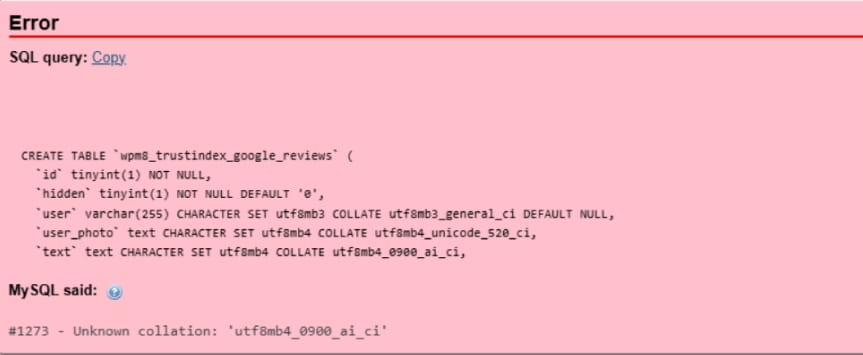
During a WordPress migration, the database import failed with a MySQL error in phpMyAdmin. This prevented the website from being restored on the new server.
The Problem
- Database import failed with error:
#1273 – Unknown collation: ‘utf8mb4_0900_ai_ci’ - Issue occurred due to MySQL version mismatch between source and destination servers
Root Cause
The source server was using MySQL 8, while the destination server was running an older version (e.g., MySQL 5.7), which does not support the utf8mb4_0900_ai_ci collation.
Solution
- Downloaded the
.sqldatabase file - Opened it in Notepad++
- Replaced unsupported collation:
utf8mb4_0900_ai_ci → utf8mb4_general_ci - Also verified and adjusted charset/collation references in a few places
- Saved the updated SQL file
Result
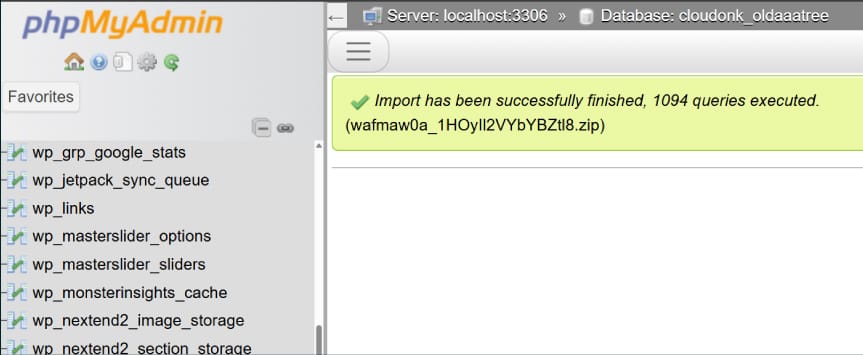
- Database imported successfully via phpMyAdmin
- Website restored without errors
- No data loss or functionality issues
Key Takeaway
Database migrations between different MySQL versions can cause compatibility issues.
A quick manual fix by updating collation values in the SQL file can resolve import errors efficiently.