

Overview
A client approached me with a critical issue on their WordPress website where visitors were intermittently shown a fake Cloudflare verification screen. This not only impacted user trust but also indicated a deeper security compromise.
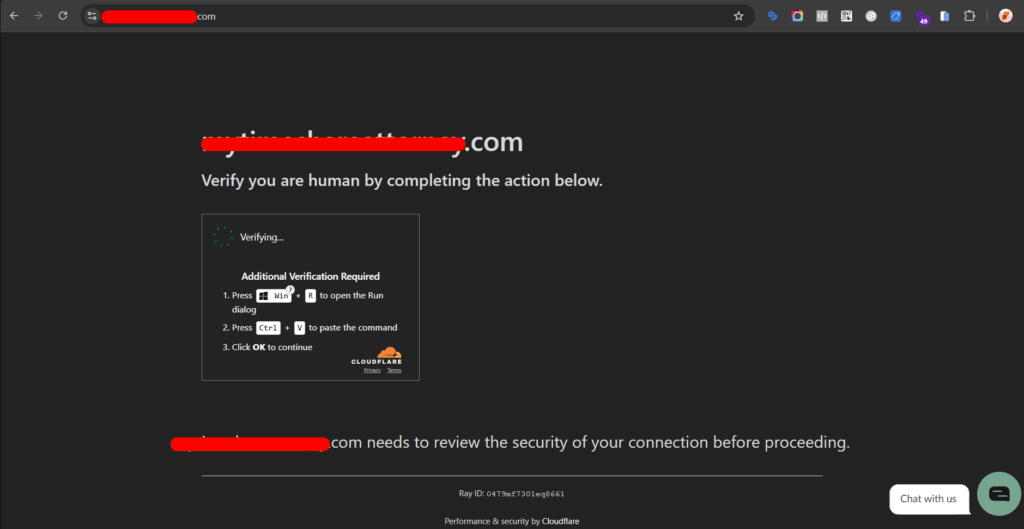
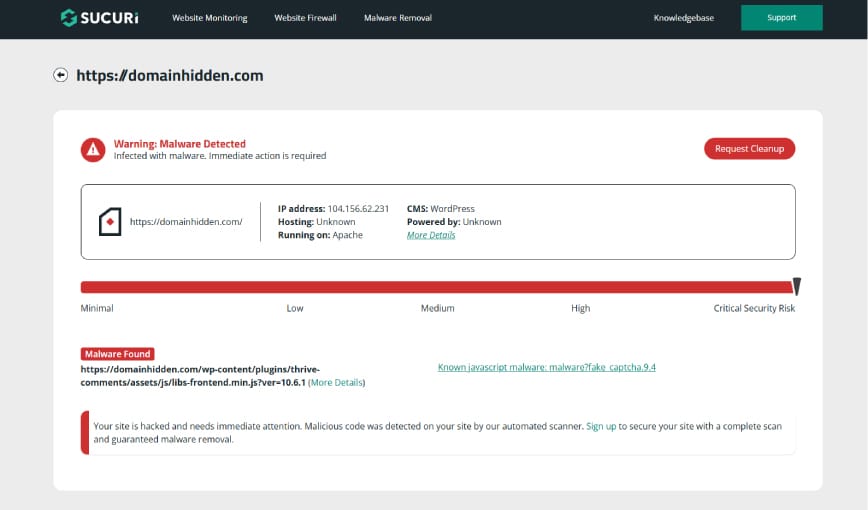
The goal was to identify the root cause, eliminate the malware completely, and harden the website against future attacks—without disrupting business operations.
The Problem
- Users were seeing a fake Cloudflare verification overlay
- The actual website continued to load in the background
- The issue appeared intermittently, making it harder to trace
- Initial malware scans detected suspicious files, but removing them did not fully resolve the issue
Investigation Process
1. Immediate Containment
I started by securing access and preventing further damage:
- Removed unknown administrator accounts
- Reset passwords for all existing users
- Logged out all active sessions
- Reviewed login activity logs
2. Malware Scan & File Inspection
Using a security scanner, I identified and removed flagged files. However, the issue persisted, indicating a deeper infection.
I then manually inspected:
wp-config.php.htaccessindex.php- Core WordPress directories
3. File Permissions Audit
Incorrect file permissions were identified and corrected immediately, as they can allow unauthorized modifications.
4. Core, Theme, and Plugin Replacement
To eliminate hidden backdoors:
- Replaced WordPress core files manually
- Replaced the active theme files
- Began auditing plugins one by one
5. Identifying the Malicious Plugin
During plugin inspection, I discovered a suspicious plugin:
- Name: “WP Performance Analytics”
- No official author or documentation
- Not listed in the WordPress plugin repository
After deactivating it, the issue temporarily disappeared.
6. Persistence Mechanism Discovery
The plugin reactivated itself automatically, even without user login activity.
Further investigation revealed:
- Suspicious cron jobs triggering reactivation
- Malicious code injected into the theme’s
footer.php - Hidden backdoor logic inside plugin files
Temporary Mitigation
Since the client required an immediate fix, I implemented a temporary safeguard to prevent the malicious plugin from activating:
function block_malicious_plugin($plugins) {
    if (!is_array($plugins)) return $plugins;

    $clean = array();

    foreach ($plugins as $plugin) {
        if (strpos($plugin, 'wp-perf-analytics') === false) {
            $clean[] = $plugin;
        }
    }

    return $clean;
}

add_filter('option_active_plugins', 'block_malicious_plugin');
I added this code snippet as a plugin and uploaded to mu-plugins directory. This ensured the site remained functional while deeper cleanup continued.
Final Resolution
To completely remove the infection:
- Replaced all plugin files with clean versions from official sources
- Removed the malicious plugin entirely
- Cleared all injected code and cron jobs
- Verified no unauthorized database entries using SQL checks
After this:
- The plugin stopped reactivating
- The fake Cloudflare page never returned
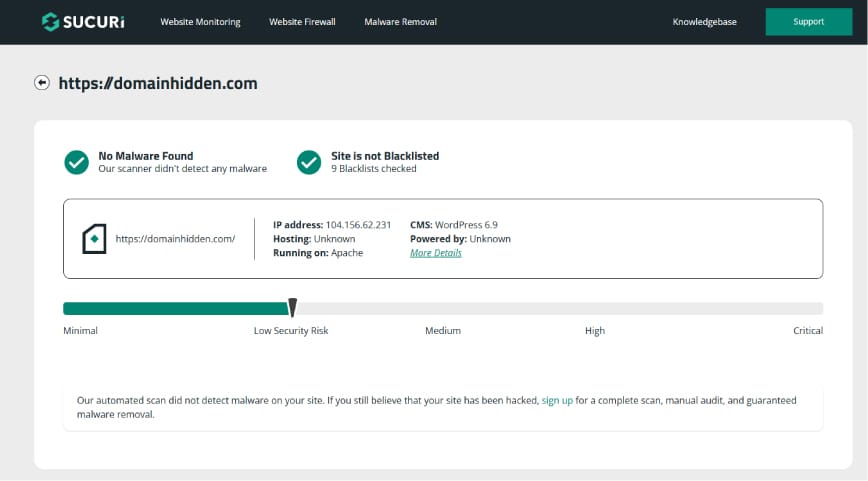
- Security scans showed zero malware
Security Hardening
Post-cleanup, I strengthened the site’s security:
- Enabled firewall protection and optimized rules
- Implemented brute-force protection and rate limiting
- Changed the default WordPress login URL
- Monitored and reduced failed login attempts
- Re-ran security scans to confirm a clean state
Key Takeaways
- Malware can persist through hidden backdoors, even after initial cleanup
- Unknown or unofficial plugins are a major security risk
- Replacing files with trusted sources is often more effective than patching
- Cron jobs and theme files are common persistence vectors
- Temporary mitigation can help maintain uptime during critical fixes
Outcome
- ✅ Malware completely removed
- ✅ No recurrence of malicious behavior
- ✅ Improved site security and resilience
- ✅ Minimal disruption to client operations
Conclusion
This case highlights how modern WordPress malware can use multiple persistence techniques, including plugin backdoors and scheduled tasks. A systematic approach—combining manual inspection, controlled replacements, and security hardening—is essential for complete remediation.